 Keyvio
The CRM real estate agents own
Real estate is about people.
Keyvio is built for the agent, not the brokerage: your book goes where you go. Built on your iPhone Contacts, it plans your morning for you, drafts the texts, routes your showings, and shows what you actually keep after your split. Install free from the App Store; after onboarding, a subscription via Apple (including a free trial when offered) unlocks the full CRM.
- Follow-ups
- Birthdays
- Deals & closings
- Showings

Built on your Contacts
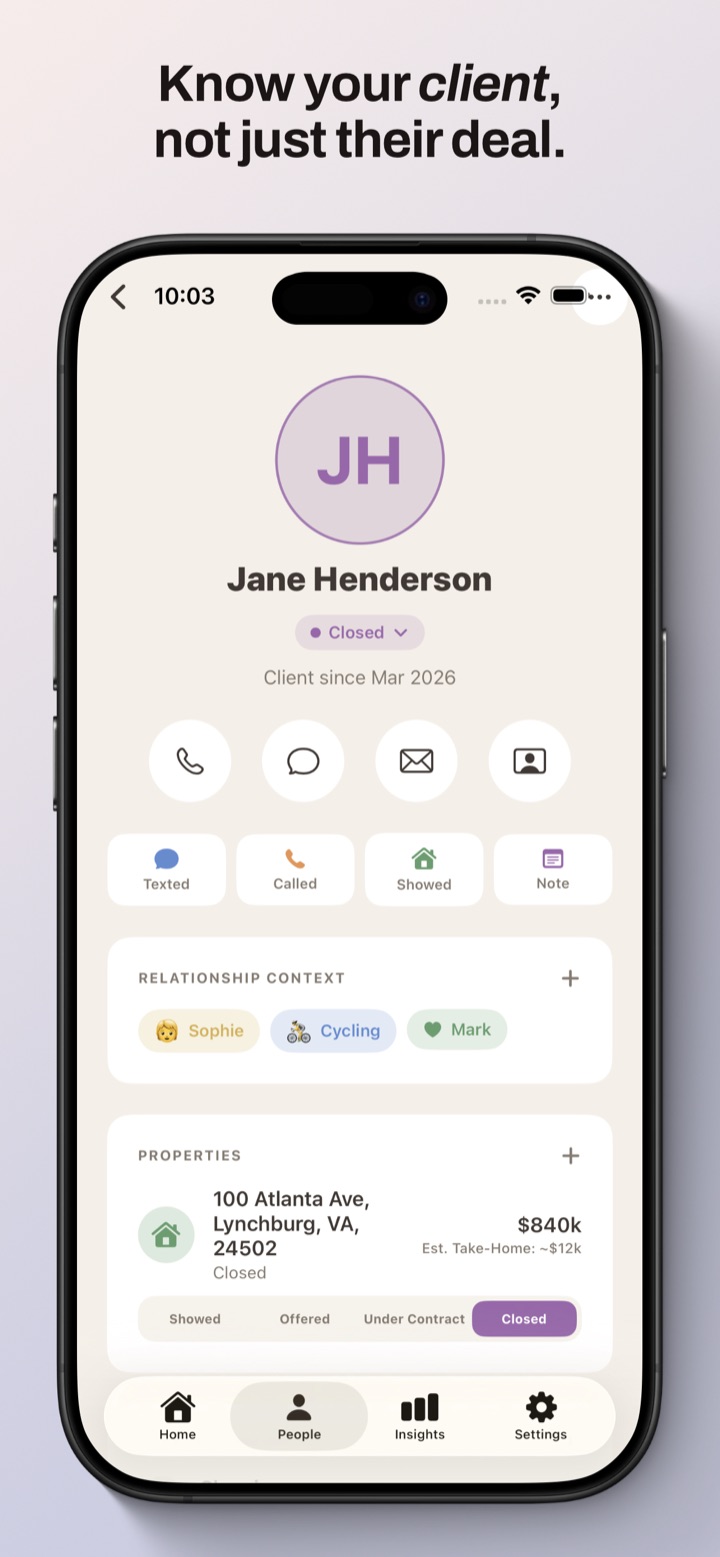
Every client links to Apple Contacts, so names, numbers, and birthdays stay where they already live.
Private by design
Your CRM lives on your iPhone. Cloud backup and AI are optional—sign in only if you want them, and your contact names, numbers, and photos never leave the device either way.
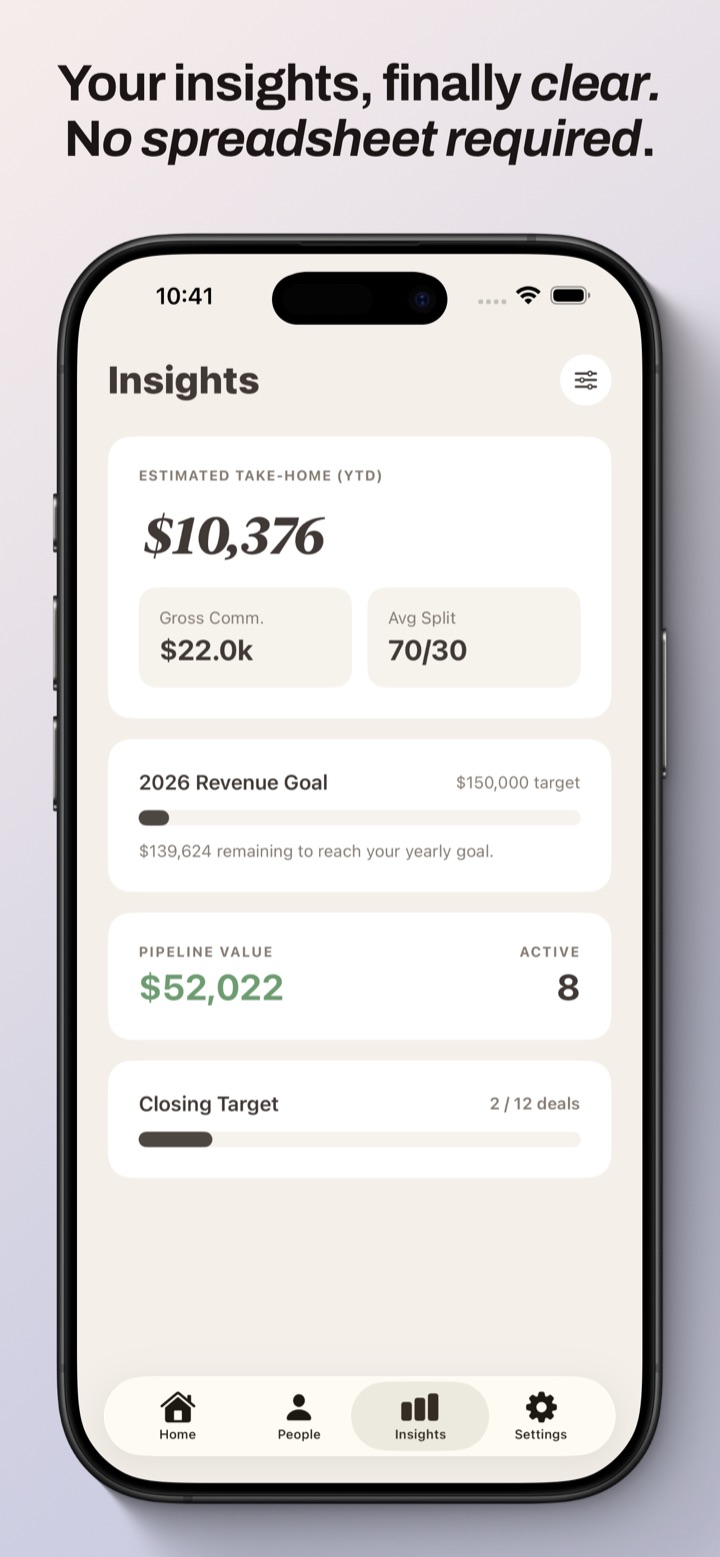
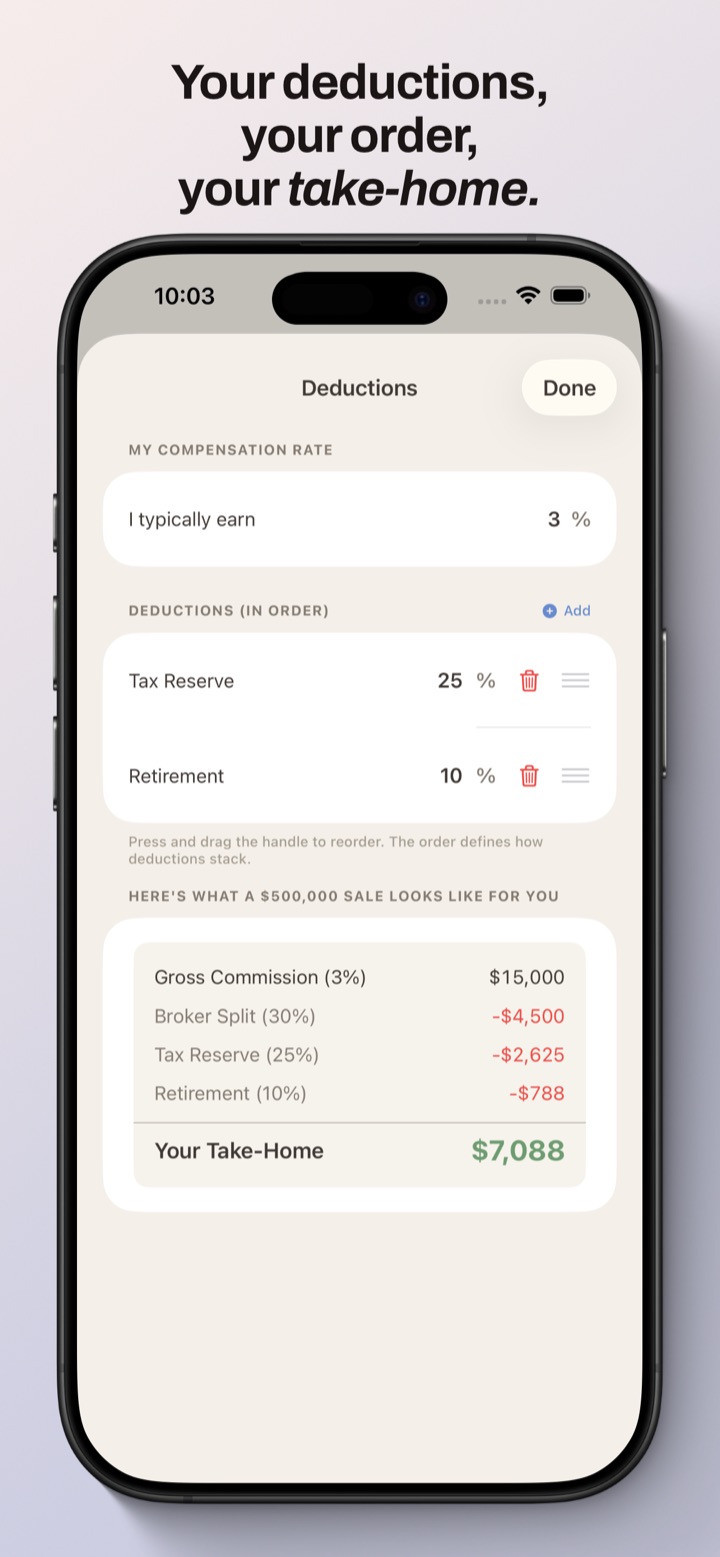
Know your take-home
See commission splits, deductions, and what you actually keep on a sale—no spreadsheet required.
What it costs
Keyvio is free to install. The full CRM unlocks with a subscription billed by Apple: $9.99/month or $89.99/year, each with a 7-day free trial for new subscribers. Cancel anytime in Apple Settings. Prices shown are US App Store pricing; other regions vary.
A look inside
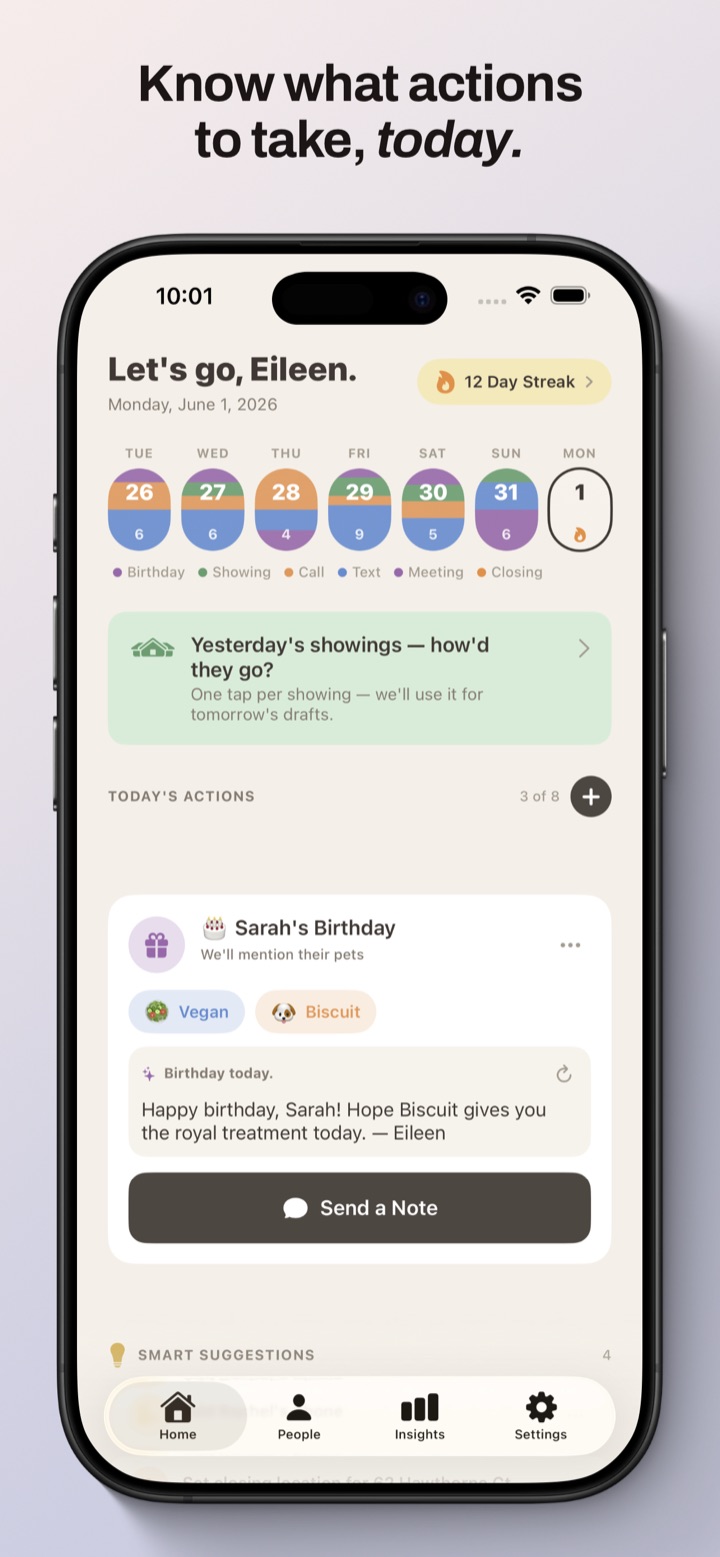
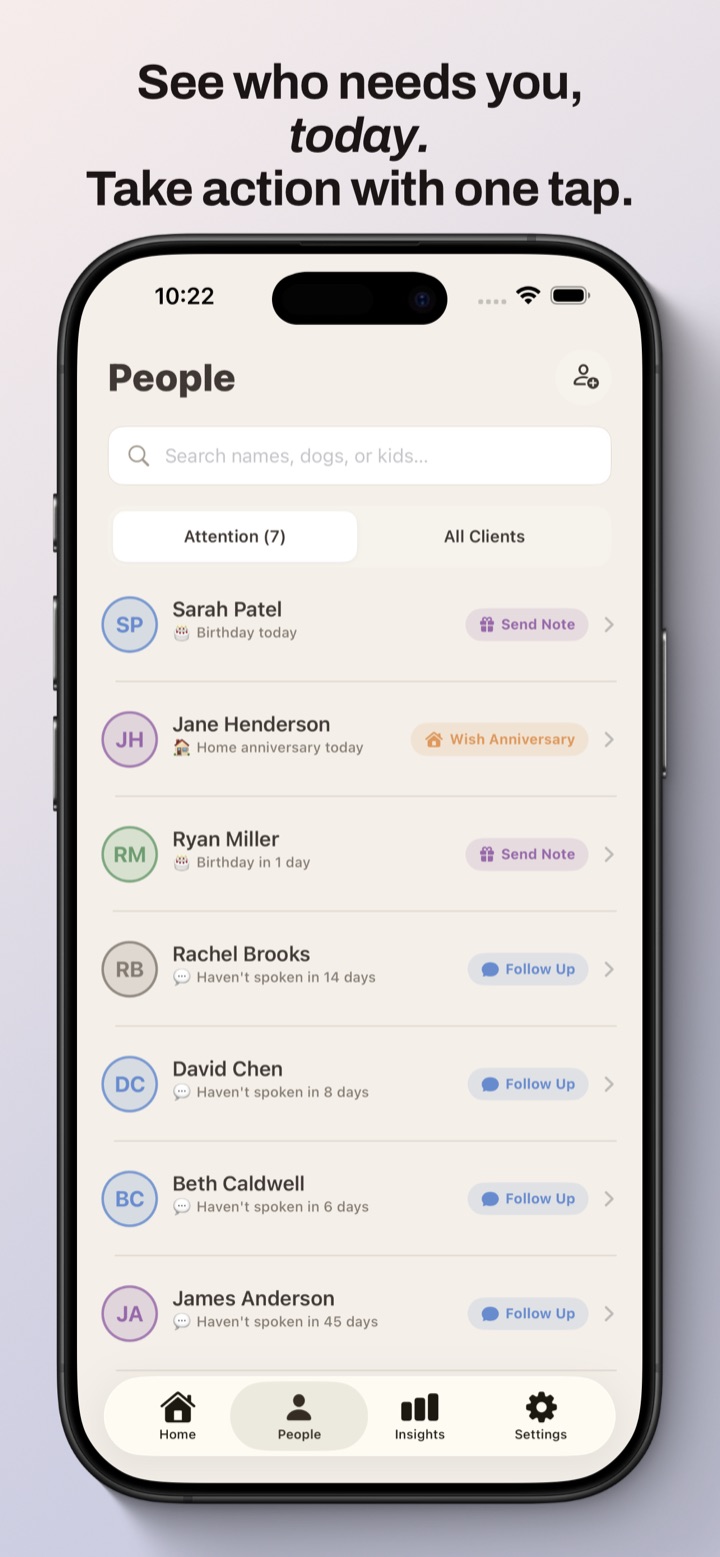
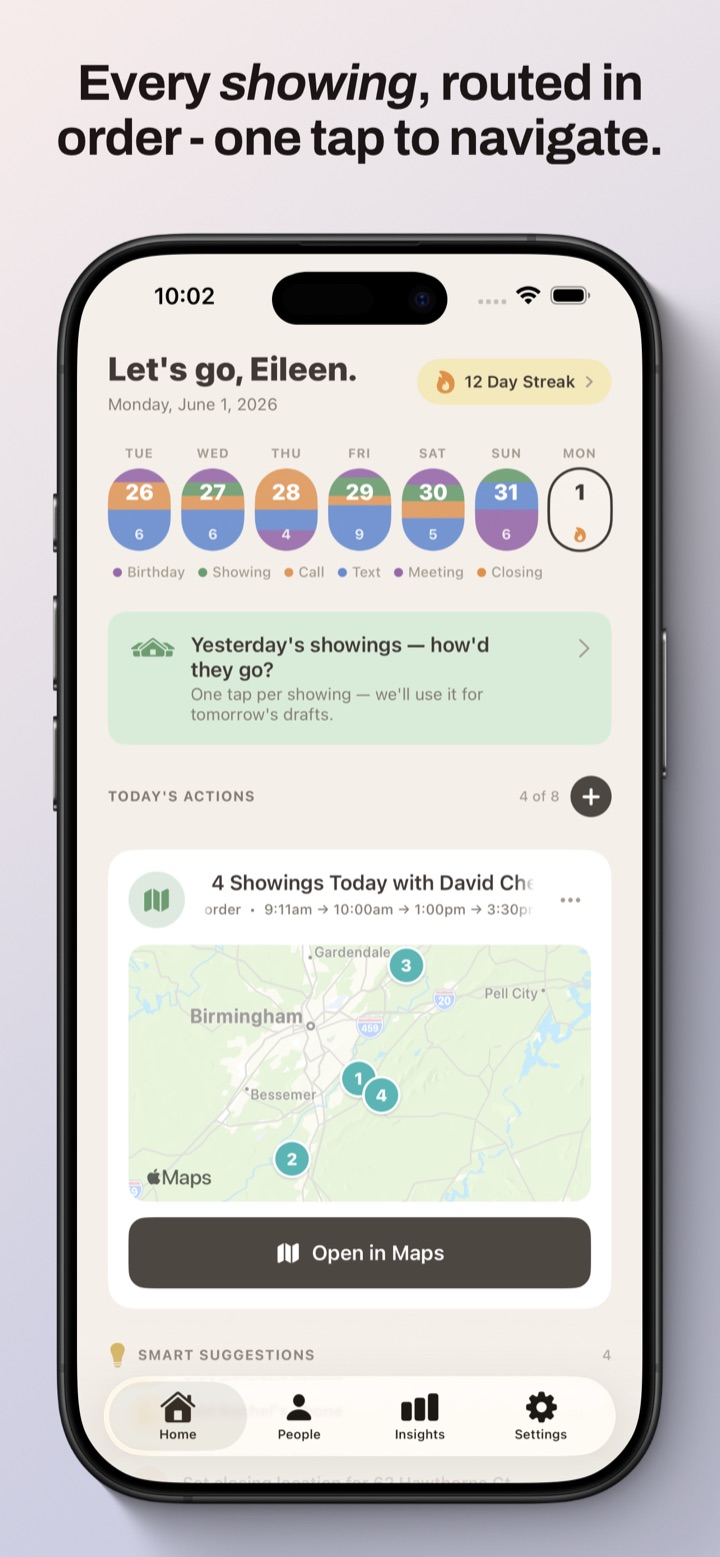
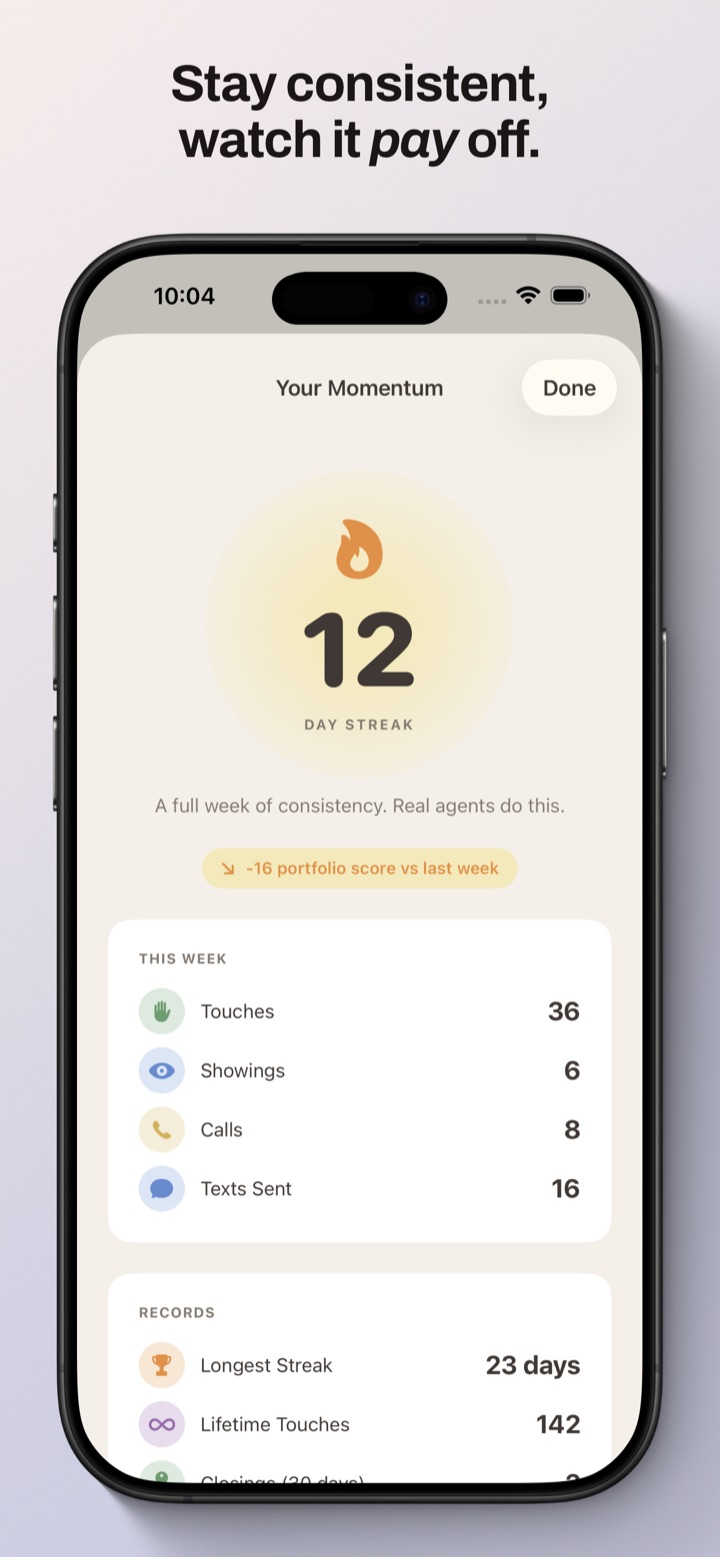
Designed to tell you what to do today.
Real screens from the app—your day, your people, and your numbers at a glance.
What Keyvio includes
What the app does
Keyvio links each client to a person in Apple Contacts (names, phones, birthdays, and similar fields stay in Contacts; Keyvio stores CRM notes and metadata on your device). It can read Calendar to surface showings and dates, send notifications for follow-ups and milestones, and keep deals, checklists, and activity history in an on-device database (SwiftData).
Signing in is optional. Without an account, everything stays on your device. If you Sign in with Apple, the CRM records you author—deals, notes, reminders, showings, and similar—back up to our servers so your work survives reinstalls and new devices. Those records reference clients by an opaque identifier: your Apple Contacts data is never part of the backup.
AI drafting runs on your device when you're signed out, using Apple's on-device language features where supported and built-in templates otherwise. Signed in, message drafting, the daily game plan, and in-app help are processed by our servers and our AI provider (Anthropic) on de-identified content—client names are replaced with anonymous tokens on your device before anything is sent, and that content is not used to train AI models. Full detail in the privacy policy.
Need help?
Visit support for contact options. Read the privacy policy and terms of use for subscriptions and disclaimers.